EMT Practice Test

1. Question Content...


Question List

Question1: Create a snapshot of the etcd instance running at https://127.0.0.1:2379, saving the snapshot to the file path
/srv/data/etcd-snapshot.db.
The following TLS certificates/key are supplied for connecting to the server with etcdctl:
CA certificate: /opt/KUCM00302/ca.crt
Client certificate: /opt/KUCM00302/etcd-client.crt
Client key: Topt/KUCM00302/etcd-client.key

Question2: create a pod in a specific node (node1) by placing the pod definition file in a particular folder "/etc/kubernetes/manifests".

Question3: Create and configure the service front-end-service so it's accessible through NodePort and routes to the existing pod named front-end.

Question4: Create the service as type NodePort with the port 32767 for the nginx pod with the pod selector app: my-nginx

Question5: For this item, you will havetosshto the nodesik8s-master-0andik8s-node-0and complete all tasks on thesenodes. Ensure that you return tothe base node (hostname:node-1) when you havecompleted this item.
Context
As an administrator of a smalldevelopment team, you have beenasked to set up a Kubernetes clusterto test the viability of a newapplication.
Task
You must usekubeadmto performthis task. Anykubeadminvocationswill require the use of the
--ignore-preflight-errors=alloption.
* Configure thenodeik8s-master-Oas a masternode. .
* Join the nodeik8s-node-otothe cluster.

Question6: Scale the deployment webserver to

Question7: Create a redis pod and expose it on port 6379

Question8: List all persistent volumes sorted by capacity, saving the full kubectl output to
/opt/KUCC00102/volume_list. Use kubectl 's own functionality for sorting the output, and do not manipulate it any further.

Question9: An administrator accidentally closed the commit window/screen before the commit was finished. Which two options could the administrator use to verify the progress or success of that commit task? (Choose two)

Question10: Apply the autoscaling to this deployment with minimum 10 and maximum 20 replicas and target CPU of 85% and verify hpa is created and replicas are increased to 10 from 1

Question11: Create a nginx pod with label env=test in engineering namespace
See the solution below.

Question12: Undo the deployment with the previous version and verify
everything is Ok

Question13: Get list of persistent volumes and persistent volume claim in the cluster

Question14: Scale the deployment from 5 replicas to 20 replicas and verify

Question15: List pod logs named "frontend" and search for the pattern "started" and write it to a file "/opt/error-logs"

Question16: Create a Kubernetes secret asfollows:
* Name: super-secret
* password: bob
Create a pod namedpod-secrets-via-file Image, which mounts a secret namedsuper-secretat
/secrets.
Create a second pod namedpod-secrets-via-env Image, which exportspasswordas CONFIDENTIAL

Question17: Create a deployment as follows:
Name: nginx-random
Exposed via a service nginx-random
Ensure that the service & pod are accessible via their respective DNS records The container(s) within any pod(s) running as a part of this deployment should use the nginx Image Next, use the utility nslookup to look up the DNS records of the service & pod and write the output to
/opt/KUNW00601/service.dns and /opt/KUNW00601/pod.dns respectively.

Question18: List all the pods showing name and namespace with a json path expression

Question19: Create and configure the service front-end-service so it's accessible through NodePort and routes to the existing pod named front-end.

Question20: Clean the cluster by deleting deployment and hpa you just created

Question21: What file type upload is supported as part of the basic WildFire service?

Question22: Create a deployment spec file thatwill:
* Launch 7 replicas of thenginxImage with the labelapp_runtime_stage=dev
* deployment name:kual00201
Save a copy of this spec file to/opt/KUAL00201/spec_deployment.yaml
(or/opt/KUAL00201/spec_deployment.json).
When you are done, clean up (delete)any new Kubernetes API object thatyou produced during this task.

Question23: Monitor the logs of pod foo and:
* Extract log lines corresponding unable-to-access-website
* Write them to/opt/KULM00201/foo

Question24: Updates to dynamic user group membership are automatic therefore using dynamic user groups instead of static group objects allows you to:

Question25: Create 2 nginx image pods in which one of them is labelled with env=prod and another one labelled with env=dev and verify the same.

Question26: Create a pod that having 3 containers in it? (Multi-Container)

Question27: Create a PersistentVolumeClaim of at least 3Gi storage and access mode ReadWriteOnce and verify status is Bound

Question28: Create a pod with init container which create a file "test.txt"
in "workdir" directory. Main container should check a file
"test.txt" exists and execute sleep 9999 if the file exists.

Question29: Print pod name and start time to "/opt/pod-status" file

Question30: Create a pod with image nginx called nginx and allow traffic on port 80

Question31: Create a pod that echo "hello world" and then exists. Have the pod deleted automatically when it's completed

Question32: Given a partially-functioning Kubernetes cluster, identify symptoms of failure on the cluster.
Determine the node, the failing service, and take actions to bring up the failed service and restore the health of the cluster. Ensure that any changes are made permanently.
You can ssh to the relevant I nodes (bk8s-master-0 or bk8s-node-0) using:
[student@node-1] $ ssh <nodename>
You can assume elevated privileges on any node in the cluster with the following command:
[student@nodename] $ | sudo -i

Question33: Given a partially-functioningKubernetes cluster, identifysymptoms of failure on the cluster.
Determine the node, the failingservice, and take actions to bring upthe failed service and restore thehealth of the cluster. Ensure that anychanges are made permanently.
You cansshto the relevant Inodes (bk8s-master-0orbk8s-node-0) using:
[student@node-1] $ ssh<nodename>
You can assume elevatedprivileges on any node in thecluster with the followingcommand:
[student@nodename] $ | sudo -i

Question34: Score: 7%

Task
Create a new nginx Ingress resource as follows:
* Name: ping
* Namespace: ing-internal
* Exposing service hi on path /hi using service port 5678

Question35: Create and configure the servicefront-end-serviceso it's accessiblethroughNodePortand routes to theexisting pod namedfront-end.

Question36: Create a nginx pod with label env=test in engineering namespace

Question37: Create a pod named kucc8 with a single app container for each of the
following images running inside (there may be between 1 and 4 images specified):
nginx + redis + memcached.

Question38: Create a snapshot of theetcdinstance running at , saving thesnapshot to the file path
/srv/data/etcd-snapshot.db.
The following TLScertificates/key are suppliedfor connecting to the server withetcdctl:
* CA certificate:/opt/KUCM00302/ca.crt
* Client certificate:/opt/KUCM00302/etcd-client.crt
* Client key:Topt/KUCM00302/etcd-client.key

Question39: Add a taint to node "worker-2" with effect as "NoSchedule" and
list the node with taint effect as "NoSchedule"

Question40: A Kubernetes worker node, named .Investigate why this is the case,
andperform any appropriate steps tobring the node to a state,ensuring that any changes are madepermanent.
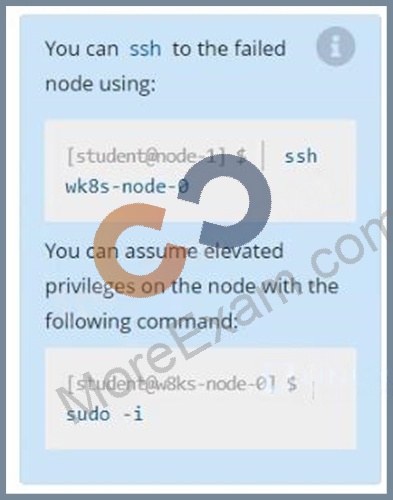
You cansshto the failednode using:
[student@node-1] $ | sshWk8s-node-0
You can assume elevatedprivileges on the node with thefollowing command:
[student@w8ks-node-0] $ |sudo -i

Question41: Get all the pods with label "env"

Question42: Watch the job that runs 10 times one by one and verify 10 pods are created and delete those after it's completed

Question43: Score: 13%

Task
A Kubernetes worker node, named wk8s-node-0 is in state NotReady. Investigate why this is the case, and perform any appropriate steps to bring the node to a Ready state, ensuring that any changes are made permanent.

Question44: Update the deployment with the image version 1.17.4 and verify

Question45: Create a deployment as follows:
* Name: nginx-random
* Exposed via a service nginx-random
* Ensure that the service & pod are accessible via their respective DNS records
* The container(s) within any pod(s) running as a part of this deployment should use the nginx Image Next, use the utility nslookup to look up the DNS records of the service & pod and write the output to
/opt/KUNW00601/service.dns and /opt/KUNW00601/pod.dns respectively.

Question46: Check the image version in pod without the describe command

Question47: From the pod labelname=cpu-utilizer, find podsrunning high CPU workloads and write the name of the pod consumingmost CPU to thefile/opt/KUTR00102/KUTR00102.txt(which already exists).

Question48: A Kubernetes worker node, named wk8s-node-0 is in state NotReady. Investigate why this is the case, and perform any appropriate steps to bring the node to a state, ensuring that any changes are made permanent.
You can ssh to the failed node using:
[student@node-1] $ | ssh Wk8s-node-0
You can assume elevated privileges on the node with the following command:
[student@w8ks-node-0] $ | sudo -i

Question49: Create a busybox pod and add "sleep 3600" command

Question50: Create an nginx pod with containerPort 80 and it should check the pod running at endpoint / healthz on port 80 and verify and delete the pod.

Question51: Create a deployment named "myapp" that having 2 replicas with
nginx image and expose deployment as service named "myservice"

Question52: Configure the kubelet systemd- managed service, on the node labelled with name=wk8s-node-1, to launch a pod containing a single container of Image httpd named webtool automatically. Any spec files required should be placed in the /etc/kubernetes/manifests directory on the node.
You can ssh to the appropriate node using:
[student@node-1] $ ssh wk8s-node-1
You can assume elevated privileges on the node with the following command:
[student@wk8s-node-1] $ | sudo -i

Question53: Make the node schedulable by uncordon the node

Question54: Create a file:
/opt/KUCC00302/kucc00302.txt that lists all pods that implement service baz in namespace development.
The format of the file should be one pod name per line.

Question55: Create a pod that having 3 containers in it? (Multi-Container)

Question56: Create a deployment spec file that will:
Launch 7 replicas of the nginx Image with the labelapp_runtime_stage=dev deployment name: kual00201 Save a copy of this spec file to /opt/KUAL00201/spec_deployment.yaml (or /opt/KUAL00201/spec_deployment.json).
When you are done, clean up (delete) any new Kubernetes API object that you produced during this task.

Question57: Create a deployment as follows:
Name: nginx-app
Using container nginx with version 1.11.10-alpine
The deployment should contain
Next, deploy the application with new version , by performing a rolling update.
Finally, rollback that update to the previous version

Question58: Perform the following tasks:
* Add an init container to hungry-bear (which has been defined in spec file
/opt/KUCC00108/pod-spec-KUCC00108.yaml)
* The init container should create an empty file named/workdir/calm.txt
* If /workdir/calm.txt is not detected, the pod should exit

Question59: List all the pods sorted by name

Question60: Create 2 nginx image pods in which one of them is labelled with env=prod and another one labelled with env=dev and verify the same.

Question61: Get the DNS records for the service and pods for the deployment redis and the put the value in /tmp/dnsrecordpod and /tmp/dnsrecord-service